

Betting on Moors in Your Browser: No Download, Just a Link
Plenty of people in Zimbabwe type “Moors online” into a search bar because they want to place a bet right now, without installing anything. A browser does that job. Open the site on a phone, tablet or computer, sign in, and you are at the sportsbook.
Phones with little free storage are the obvious beneficiaries. Moors runs fine in a normal web browser, so there is no file to download and no update prompt waiting in the notification bar. For a player who already bets at a Moor’s World of Sport shop and now wants to follow matches on a handset, that lack of setup is the main attraction.
One login also covers football fixtures, the other markets and whichever promotions are running, so nothing is scattered across separate screens. By the time you have read this page, using the browser should feel like the normal way into Moors, not a fallback for people without the app. That includes the football markets many Zimbabwean fans follow week after week, so the browser is not a cut-down version of anything.
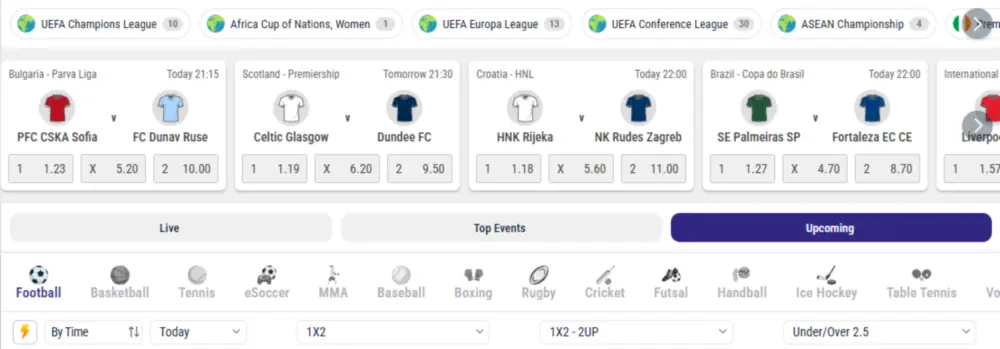
Table Of Contents ►
Opening Moors Without Installing the App
All you need is a browser and the official web address. Typing the address yourself each time is quicker and safer than searching for it again. When the page opens, the login and join buttons are at the top, just as they would be on an app screen. If you later decide you want an icon on your home screen anyway, you can get the Moors app from its own page, though a bet can be placed without it.
Save the page as a bookmark as soon as you have found it. A bookmark or home-screen shortcut keeps the login a single tap away, and for many bettors it replaces the app icon completely. A tidy home screen shortcut also stops you from landing on look-alike pages that turn up in search results, which is another reason to save the real address once.
The browser also has a quiet advantage in how it stays current. Nothing needs to be downloaded when a new sport is added or the way odds are displayed changes. Whatever the site shows when it opens is the current version, so the football odds and other markets you see are the live ones.
Which Devices and Browsers Work
Because the site is meant for ordinary browsers instead of one special program, the device matters less than usual. Recent phones, tablets and computers cope with it, as long as the browser is reasonably up to date.
The layout resizes to the screen, so a betting slip on a small budget phone is just as usable as one on a laptop. That suits people who change devices during the day, perhaps looking at odds on a phone over lunch and finishing the same bet on a home computer in the evening. Landscape mode on a phone gives the slip more room, and on a desktop monitor you can keep the fixtures on one side while the slip stays visible on the other.
Browser Choices That Work Well
Chrome and Safari are the safest picks, since both are updated often with security and compatibility fixes. Firefox also works well, especially on Android phones where many people already use it.
Whichever one you prefer, a few simple habits help:
- Install browser updates when they appear
- Let the site use cookies so your login stays active
- Turn off extensions that block scripts, because they can stop live odds from showing
- Empty the cache from time to time if the pages look out of date
None of it is difficult, and most odd behaviour, such as a bet slip that will not submit, comes from one of these four being ignored. The same applies to a page that seems stuck on old information: update, clear, reload. Each of these takes seconds, and together they cover nearly every browser problem a bettor is likely to meet.
Using Moors on an Older Phone
An older handset or an old browser version can still open Moors, with a couple of small adjustments. Close the tabs and apps you are not using before you log in, so the phone has memory to spare for the betting pages. If the phone is shared with family, log out once you finish so nobody else opens your session by mistake.
Mobile data is the other thing to watch. Moving to home or office Wi-Fi saves your data bundle, which matters if you follow several matches in a row on live markets.
Staying on a lower-spec phone is not a worse way to bet. It just helps to keep the device uncluttered, especially on busy weekend football days.
Why Online Beats the Terminal for Many Bettors
Betting at a terminal in a shop is familiar to many Zimbabweans, and it still suits people who prefer cash. The browser solves a different problem: you do not have to travel to a counter to place a bet or read a result.
From a home, an office or a taxi rank queue, a bettor can look at football odds, edit the slip and follow live play. A terminal only works while you stand in front of it, and shops do not keep late hours. A sensible routine is to look at today’s fixtures first and then build the slip on the same screen.
Timing counts as well. Live odds move all the time, and a refreshed page shows the new price immediately, with no waiting for a shop screen to change. If you follow a fast game and like picking numbers on instinct, that matters. That matters for anyone who joins a match after it has started and wants the current price before placing a stake.
The two methods do not cancel each other. Money still goes in and out at physical outlets, and the browser adds convenience on top of that.
That mix explains the appeal: the cashier deposit stays as familiar as ever, and the long wait in the queue just to find out how a match is going disappears.
Opening an Account on Moors
Registration begins with the “Join” button in the top area of the homepage. The form wants a phone number, your first and last names, a password typed twice, your date of birth, your preferred currency and a National ID number. If you have a promo code, there is a field for it too. Have the National ID number to hand before you begin, because the form will not go through without it.
You must tick that you accept the terms and conditions and that you are 18 or older. When that is done, press “Register” and the account is ready.
Coming back is easier. Press “Login”, type the phone number you registered with and then the password. The dashboard then points to deposits, open bets and the full history of past slips, so you can go from browsing odds to staking in a couple of taps.
If you hold a promo code from a current offer, use it during sign-up, since it normally cannot be added afterwards. First-time users who want screenshots and a slower walkthrough can look at the registration and login pages on this site.

Paying In and Cashing Out
Deposits are made in person at any Moor’s World of Sport outlet across the country, and the accepted currencies are ZWL, US dollars and Rand. That visit remains part of the routine even if everything else, from odds to live bets, happens in a browser. There is nothing extra to set up for this, because the account is the same on both sides.
Besides visiting an outlet, other locally accepted payment methods exist, EcoCash among them. Withdrawals follow the shop pattern as well, with ZWL cash handed over at any branch.
Many Moors customers split their activity this way: the browser for looking around and betting, the shop for money.
For most account holders the sequence is short: put cash on the account at the outlet, then do the rest on screen.